
Call or Whatsapp +254795900573


Signs Your Business Needs Managed IT Support. Most businesses don’t decide to get managed IT support. They back into it — after the third unexplained outage in a month, after a scare with a suspicious email that nearly locked up the accounts system, after realizing nobody actually owns “IT” anymore beyond whoever’s laptop skills are least bad.
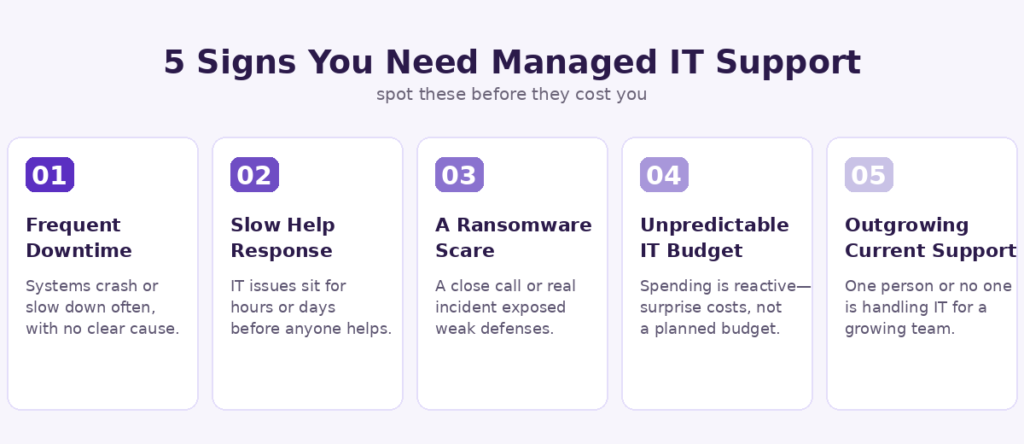
The signs your business needs managed IT support are usually visible for months before anyone acts on them. This post covers the five that matter most, based on what we consistently see before a Nairobi business finally reaches out.
Table of Contents
- What Is Managed IT Support?
- Sign 1: Frequent, Unexplained Downtime
- Sign 2: Your Team Dreads Calling “IT”
- Sign 3: You’ve Had a Ransomware Scare
- Sign 4: Your IT Budget Is Unpredictable
- Sign 5: You’re Outgrowing What One Person Can Handle
- What Managed IT Support Actually Includes
- FAQs
What Is Managed IT Support?
Managed IT support is an arrangement where a dedicated provider proactively monitors, maintains, and secures your business’s technology for a fixed monthly fee — instead of you calling someone only after something has already broken. It shifts IT from a reactive cost center into a predictable, preventive service.
The difference matters more than it sounds. Reactive IT means problems get expensive because nobody catches them early. Managed IT services for small businesses exist specifically to catch the five warning signs below before they turn into a genuine crisis.
Sign 1: Frequent, Unexplained Downtime
If your systems go down semi-regularly and nobody can explain exactly why, that’s not bad luck — it’s a symptom of nothing being actively monitored. A healthy IT setup catches failing hardware, expiring certificates, and network issues before they cause an outage, not after.
The real cost of downtime isn’t just the outage itself. It’s the accumulated hours of staff sitting idle, the sales missed while your payment system is down, and the slow erosion of trust every time a client hears “sorry, our system is down again.” Businesses without proactive monitoring typically only discover a problem once it’s already visible to customers — by which point it’s too late to prevent the disruption, only to react to it.
Sign 2: Your Team Dreads Calling “IT”
If “IT support” at your company means messaging whoever’s technical enough to fix it whenever they have time, you don’t actually have IT support — you have a volunteer. There’s no defined helpdesk response time, no accountability, and usually no documentation of what was even fixed last time the same issue happened.
This is one of the clearest signs your business needs managed IT support: a proper managed provider commits to a specific response time in writing, tracks every ticket, and builds a history so recurring issues get solved permanently instead of patched repeatedly by whoever’s free.
Sign 3: You’ve Had a Ransomware Scare
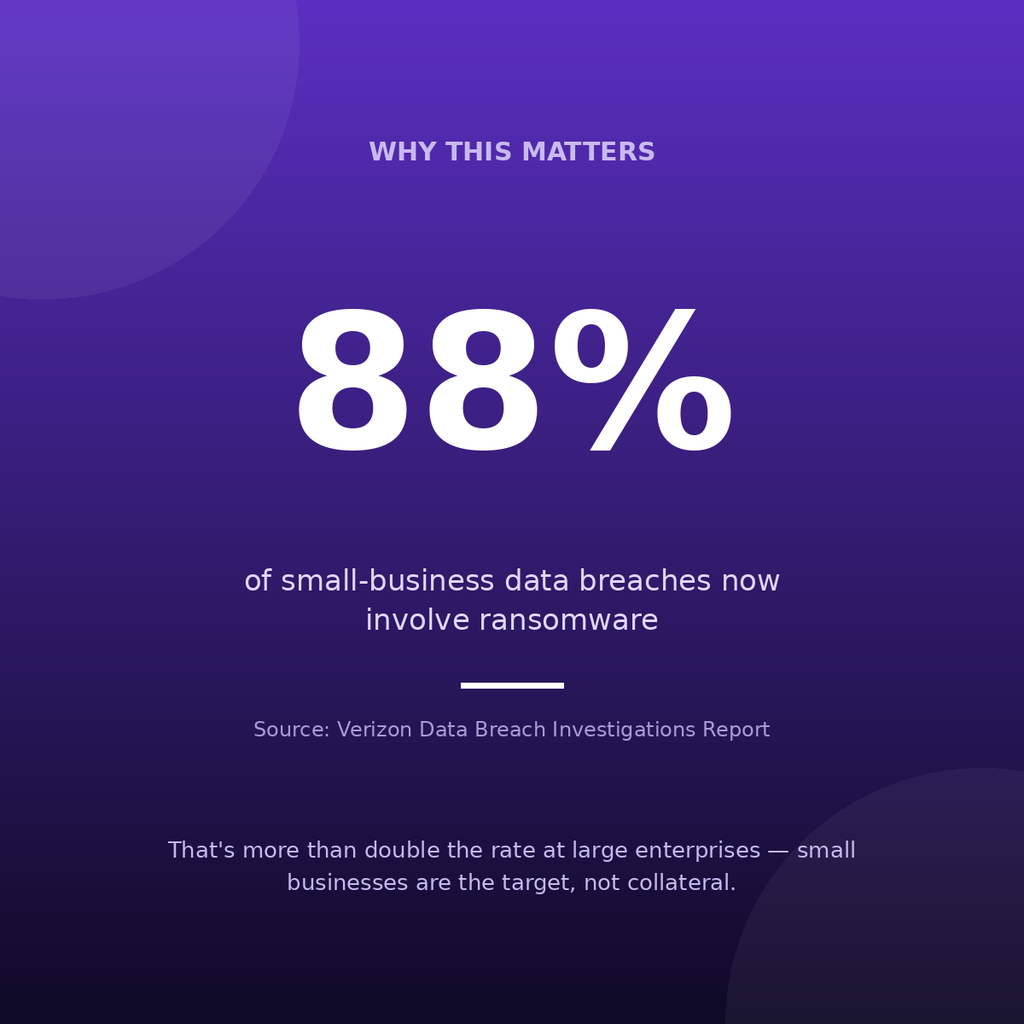
Maybe nothing catastrophic happened. An employee clicked a suspicious link, a file got encrypted before anyone noticed, or a client warned you an invoice “from your company” looked like a phishing attempt. Near-misses like these are not rare exceptions — they’re warnings that your current defenses got lucky once.The data backs up why this matters. Ransomware was involved in roughly 88% of small-business data breaches in the most recent Verizon Data Breach Investigations Report — more than double the rate seen at large enterprises. Small businesses aren’t collateral damage in these attacks; they’re often the specific, preferred target, precisely because they’re less likely to have monitoring, backups, and a security-aware IT setup in place. A managed IT provider’s baseline package typically includes exactly the layers that close this gap — endpoint protection, patching, email filtering, and tested backups.
Sign 4: Your IT Budget Is Unpredictable
If IT spending in your business is a surprise every few months — an emergency repair here, a rushed laptop replacement there, an unplanned call-out fee — that unpredictability is itself a sign of a reactive setup. Proactive management catches failing equipment before it becomes an emergency purchase, and a fixed monthly managed IT contract turns a volatile cost into a predictable line item you can actually budget around.
This matters more than it might seem. The pattern with reactive IT spending isn’t that it’s occasionally expensive — it’s that the same underlying issues keep resurfacing because nothing is being fixed at the root cause, only patched under time pressure each time it flares up again.
Sign 5: You’re Outgrowing What One Person Can Handle
Plenty of small Nairobi businesses run IT informally for years — a tech-savvy employee handles it alongside their actual job, or the owner does it personally after hours. That works fine at five people. It stops working somewhere around fifteen to twenty, when the number of devices, accounts, and potential failure points outpaces what any one person can reasonably monitor on the side.
The warning sign here isn’t a single incident — it’s the growing sense that IT has become a second job for someone whose actual job is something else entirely, and that the gaps are widening as the business grows faster than its informal IT setup can keep up with.
What Managed IT Support Actually Includes
A proper managed IT plan typically covers:
- Proactive monitoring — catching failing hardware and network issues before they cause downtime
- Helpdesk support with a defined response time — not an open-ended “we’ll get to it”
- Security — endpoint protection, patching, and email filtering aimed squarely at the ransomware risk small businesses face
- Backup and disaster recovery — tested, not just scheduled
- A predictable monthly cost — replacing the pattern of surprise emergency spending
This is the exact scope we run for managed IT clients at CalvanTech, scaled to the size of the business rather than sold as a one-size-fits-all package. For the fuller picture — including what to budget, what to ask a provider, and how this fits with the rest of your IT setup — see our complete IT Support for Kenyan SMEs guide.
FAQs
How much does managed IT support cost in Kenya? Costs vary by business size and scope, but the structure is typically a fixed monthly fee rather than per-incident billing — which is the point: predictable cost instead of surprise emergency invoices.
Is managed IT support only for large companies? No — it scales down. A 10-person business needs a much smaller package than a 100-person one, but the same core idea (proactive monitoring instead of reactive fixes) applies at any size.
What’s the difference between IT support and managed IT support? Traditional IT support is reactive — you call when something breaks. Managed IT support is proactive — monitoring, maintenance, and security happen continuously, so fewer things break in the first place.
How fast is response time with managed IT support? This should be defined in writing in your contract, not left vague. Reputable providers commit to a specific response window (for example, same-business-day) rather than “as soon as possible.”
Final Thoughts
None of these five signs are dramatic on their own — that’s exactly why they get ignored for so long. Frequent small outages, a slow helpdesk, one scary email, an unpredictable IT bill, and a team that’s quietly outgrown its setup: individually forgivable, collectively a pattern.
If two or more of these sound familiar, it’s worth a conversation before the next one turns into an actual incident. Talk to us about managed IT support →
Written by Caleb Welime, Founder of CalvanTech Ventures — a Nairobi-based ICT agency providing managed IT support to businesses across Kenya.